 OpenDBC
Tutorials › dbc Classic › 7
Loading models
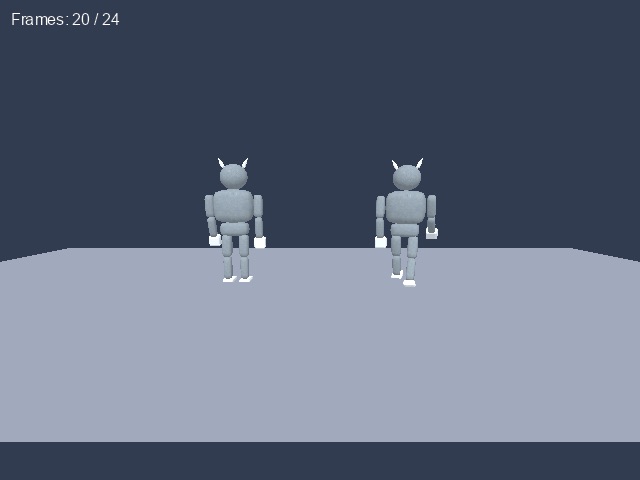
Bring in characters made in a 3D editor, and bring them to life.
What you need
imp_idle.xexamples/dbc/tutorials/3d/3D modelimp_walk.xexamples/dbc/tutorials/3d/
imp.jpgexamples/dbc/tutorials/3d/The imp is a CC0 model made for OpenDBC: one file for its idle animation, one for its walk, and its
texture. The .x files name imp.jpg, so keep the three together.
Load and size
LOAD OBJECT works like the MAKE OBJECT commands: a file name and an object number.
SCALE OBJECT takes percentages, so 200 doubles the size.
load object "imp_idle.x", 1
scale object 1, 200, 200, 200
OpenDBC reads DirectX .x and DBPro .dbo files, as well as 3DS, OBJ, FBX, glTF, MD2
and MD3.
Play the animation
An animated model holds frames. PLAY OBJECT plays them once, LOOP OBJECT forever,
STOP OBJECT stops. SET OBJECT SPEED changes the pace (100 is normal) and
TOTAL OBJECT FRAMES tells how many frames there are.
loop object 1
set object speed 1, 140rem Loading models - OpenDBC tutorial (DarkBASIC Classic)
rem Media: imp_idle.x, imp_walk.x and imp.jpg from examples/dbc/tutorials/3d
sync on : sync rate 60
autocam off
color backdrop rgb(50, 60, 80)
set ambient light 60
rem Load the imp twice: the .x file finds imp.jpg by itself
load object "imp_idle.x", 1
load object "imp_walk.x", 2
scale object 1, 200, 200, 200
scale object 2, 200, 200, 200
position object 1, -6, 0, 0
position object 2, 6, 0, 0
rem Play their animations forever, the walker a little faster
loop object 1
loop object 2
set object speed 2, 140
make object plain 3, 60, 30
xrotate object 3, 90
color object 3, rgb(70, 80, 100)
position camera 0, 6, -22
point camera 0, 3, 0
do
yrotate object 2, wrapvalue(object angle y(2) + 0.5)
text 10, 10, "Frames: " + str$(total object frames(1)) + " / " + str$(total object frames(2))
sync
loopTry this
- Put both clips in one object with
APPEND OBJECT, then loop only the walk frames. - Make the walker actually walk:
MOVE OBJECTeach frame in the direction it faces. - Jump to a frame with
SET OBJECT FRAME.
The repository's animation.dba
also builds an animation by hand from keyframes.