 OpenDBC
Tutorials › dbc Classic › 6
Matrix terrain
A matrix is a grid of tiles whose corners you raise and lower: the classic way to build ground in DarkBASIC.
What you need

terrain.jpg is an atlas: four ground textures in a 2 × 2 grid.
Make the grid
MAKE MATRIX takes a number, the width and depth in world units, then the number of tiles
across and deep. A matrix starts at its corner, so move it to centre it:
make matrix 1, 1000, 1000, 25, 25
position matrix 1, -500, 0, -500
Texture the tiles
PREPARE MATRIX TEXTURE cuts an image into tiles (here 2 × 2, numbered 1 to 4).
FILL MATRIX gives every tile the same one; SET MATRIX TILE changes a single tile.
load image "terrain.jpg", 1
prepare matrix texture 1, 1, 2, 2
fill matrix 1, 0, 1
Shape the ground
RANDOMIZE MATRIX makes random bumps. SET MATRIX HEIGHT raises one corner. Nothing shows
until you call UPDATE MATRIX, so make all your changes first.
randomize matrix 1, 30
set matrix height 1, 12, 12, 120
update matrix 1
Walk on it
GET GROUND HEIGHT returns the height at any point, in the matrix's own coordinates (from 0 to
its size). Subtract the matrix's X and Z position from world coordinates before querying it. Here the
matrix starts at −500, so use worldX + 500 and worldZ + 500.
Add the matrix's Y position to the returned height if you have moved it vertically:
rem Matrix terrain - OpenDBC tutorial (DarkBASIC Classic)
rem Media: terrain.jpg from examples/dbc/tutorials/3d
sync on : sync rate 60
autocam off
color backdrop rgb(170, 200, 230)
fog on : fog color rgb(170, 200, 230) : fog distance 1200

rem A 1000 x 1000 grid of 25 x 25 tiles
make matrix 1, 1000, 1000, 25, 25
position matrix 1, -500, 0, -500

rem Cut the texture into 2 x 2 tiles and use tile 1 everywhere
load image "terrain.jpg", 1
prepare matrix texture 1, 1, 2, 2
fill matrix 1, 0, 1

rem Hills: random heights, then a rocky mountain (tile 4) in the middle
randomize matrix 1, 30
for x = 10 to 15
   for z = 10 to 15
      set matrix height 1, x, z, 120
      set matrix tile 1, x, z, 4
   next z
next x
update matrix 1

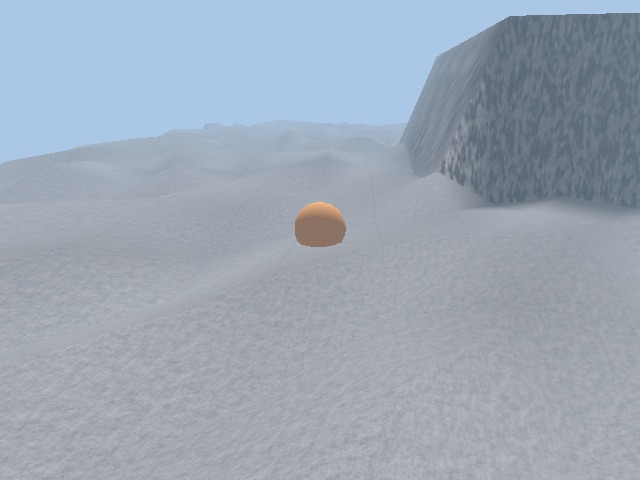
rem A ball that rolls over the ground
make object sphere 1, 24
color object 1, rgb(255, 120, 40)

do
   a = wrapvalue(a + 1)
   bx# = sin(a) * 300 : bz# = cos(a) * 300
   rem get ground height works in matrix coordinates (0 to 1000)
   by# = get ground height(1, bx# + 500, bz# + 500)
   position object 1, bx#, by# + 6, bz#
   position camera sin(a - 15) * 400, by# + 60, cos(a - 15) * 400
   point camera bx#, by#, bz#
   sync
loop
Try this
- See the grid with
SET MATRIX WIREFRAME ON. - Make an endless landscape with
SHIFT MATRIX UP. - Add a lake: a second, flat matrix with
GHOST MATRIX ON.
The repository's landscape.dba
does all three.