 OpenDBC
Tutorials › dbc Classic › 3
Moving the camera
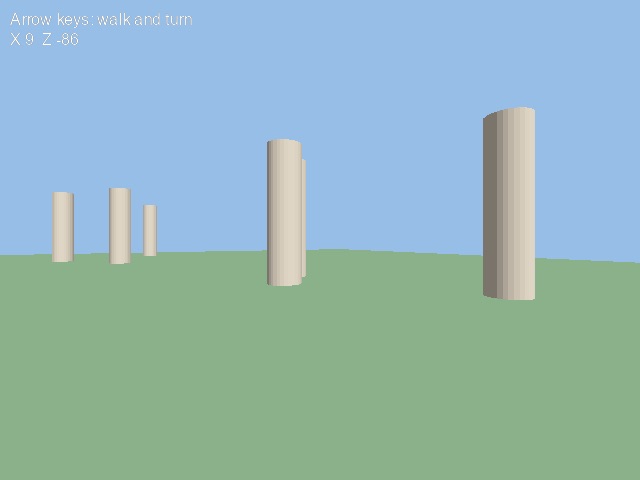
Walk through a scene with the arrow keys: move forward, turn, stay on the ground.
Place or aim
Two ways to drive the camera. Absolute: POSITION CAMERA puts it at a point and
POINT CAMERA aims it at another. Relative: MOVE CAMERA moves it forward along the
direction it faces, and YROTATE CAMERA turns it.
camera_place.dba excerptDownload
autocam off
position camera 0, 10, -120
yrotate camera 45
move camera 2
Read the keyboard
UPKEY, DOWNKEY, LEFTKEY and RIGHTKEY return 1 while the key is held.
Keep the heading in a variable, so turning stays smooth and predictable:
camera_keys.dba excerptDownload
if upkey() = 1 then move camera 2
if downkey() = 1 then move camera -2
if leftkey() = 1 then angle# = wrapvalue(angle# - 3)
if rightkey() = 1 then angle# = wrapvalue(angle# + 3)
yrotate camera angle#
Stay on the ground
CAMERA POSITION X and CAMERA POSITION Z read where the camera is. Put it back at eye
height each frame:
camera_ground.dba excerptDownload
position camera camera position x(), 10, camera position z()The whole program
When no key is pressed the camera strolls on its own, so the program also shows something without you.
camera.dbaDownload
rem Moving the camera - OpenDBC tutorial (DarkBASIC Classic)
sync on : sync rate 60
autocam off
color backdrop rgb(150, 190, 230)

rem A floor and a few pillars to walk between
make object plain 1, 400, 400
xrotate object 1, 90
color object 1, rgb(70, 120, 70)
for n = 2 to 21
   make object cylinder n, 8
   scale object n, 100, 400, 100
   position object n, rnd(300) - 150, 16, rnd(300) - 150
   color object n, rgb(200, 180, 150)
next n

position camera 0, 10, -120
angle# = 0.0

do
   rem Arrow keys walk and turn
   if upkey() = 1 then move camera 2
   if downkey() = 1 then move camera -2
   if leftkey() = 1 then angle# = wrapvalue(angle# - 3)
   if rightkey() = 1 then angle# = wrapvalue(angle# + 3)

   rem With no key pressed, the camera strolls on its own
   if upkey() + downkey() + leftkey() + rightkey() = 0
      angle# = wrapvalue(angle# + 0.5)
      move camera 0.6
   endif

   rem Keep the camera at eye height and facing the right way
   yrotate camera angle#
   position camera camera position x(), 10, camera position z()

   text 10, 10, "Arrow keys: walk and turn"
   text 10, 30, "X " + str$(int(camera position x())) + "  Z " + str$(int(camera position z()))
   sync
loop
Try this
- Step sideways with A and D: read them with
KEYSTATEand compute the new position withNEWXVALUEandNEWZVALUEatangle# + 90. - Follow an object instead:
SET CAMERA TO FOLLOW. - Zoom with
SET CAMERA FOV.
The repository's cameras.dba
shows five more ways to drive a camera.