 OpenDBC
Tutorials › dbpro Professional
Types and functions
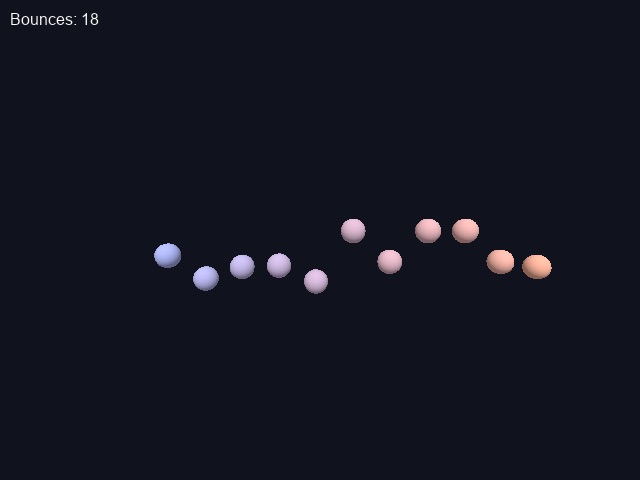
Professional lets you group data into your own types. Twelve bouncing balls show how.
Constants
#constant gives a name to a value, replaced everywhere before the program runs:
types_constant.dba excerptDownload
#constant BALLS 12User-defined types
A type groups fields, each with its own type: integer, float,
string and more. An array can hold values of that type, and a dot reaches a field:
types_ball.dba excerptDownload
type Ball
   obj as integer
   x as float
   y as float
   speed as float
endtype

dim balls(BALLS) as Ball
balls(1).speed = 4.0
Globals and functions
Inside a function, ordinary variables are local: they start fresh and vanish at the end. Arrays and
variables declared global are shared with the whole program. Parameters can be typed.
types_functions.dba excerptDownload
global bounces as integer
...
function UpdateBall(i as integer)
   balls(i).speed = balls(i).speed - 0.15
   balls(i).y = balls(i).y + balls(i).speed
   if balls(i).y < 0
      balls(i).y = 0
      balls(i).speed = 4.0
      inc bounces
   endif
   position object balls(i).obj, balls(i).x, balls(i).y, 0
endfunction
A function returns a value by putting it after endfunction, for example
endfunction result#.
types_and_functions.dbaDownload
rem Types and functions - OpenDBC tutorial (DarkBASIC Professional)
sync on : sync rate 60
autocam off
color backdrop rgb(16, 18, 30)

#constant BALLS 12

rem A user-defined type groups the fields of one ball
type Ball
   obj as integer
   x as float
   y as float
   speed as float
endtype

rem An array of that type, plus a global counter
dim balls(BALLS) as Ball
global bounces as integer

for i = 1 to BALLS
   balls(i).obj = i
   balls(i).x = -55 + i * 9
   balls(i).y = rnd(40)
   balls(i).speed = 0.0
   make object sphere i, 6
   color object i, rgb(80 + i * 14, 120, 255 - i * 14)
next i

position camera 0, 25, -75
point camera 0, 15, 0

do
   for i = 1 to BALLS
      UpdateBall(i)
   next i
   text 10, 10, "Bounces: " + str$(bounces)
   sync
loop

rem Functions see globals and arrays; other variables are local
function UpdateBall(i as integer)
   balls(i).speed = balls(i).speed - 0.15
   balls(i).y = balls(i).y + balls(i).speed
   if balls(i).y < 0
      balls(i).y = 0
      balls(i).speed = abs(balls(i).speed) * 0.92
      if balls(i).speed < 1.0 then balls(i).speed = 4.0 + rnd(3)
      inc bounces
   endif
   position object balls(i).obj, balls(i).x, balls(i).y, 0
endfunction
Try this
- Add a
colour as dwordfield and use it withCOLOR OBJECT. - Write a function that returns the highest ball.
- Grow the array at run time with
ARRAY INSERT AT BOTTOM.