 OpenDBC
Tutorials › dbc Classic › 1
Your first program
Text on screen, colours, and the loop every DarkBASIC game is built around.
Hello
A DarkBASIC program is a list of commands, read from top to bottom. The shortest one:
print "Hello!"
wait key
Save it as hello.dba, or download it, and run opendbc run hello.dba --dialect dbc,
or press F5 in the Studio. PRINT writes a line, WAIT KEY waits for a key press.
The main loop
A game redraws the screen many times per second. In DarkBASIC you take control of that with
SYNC ON, then call SYNC once per frame. SYNC RATE caps the frame rate:
sync on
sync rate 60
do
   rem draw the frame here
   sync
loop
do … loop repeats forever. Escape quits the program.
Variables, colours and text
A name ending in $ holds text; a plain name holds a whole number; # marks a
decimal number. RGB builds a colour, CLS clears the screen with it, INK picks the
text colour and TEXT writes at a pixel position:
name$ = "OpenDBC"
cls rgb(16, 20, 40)
ink rgb(255, 210, 90), 0
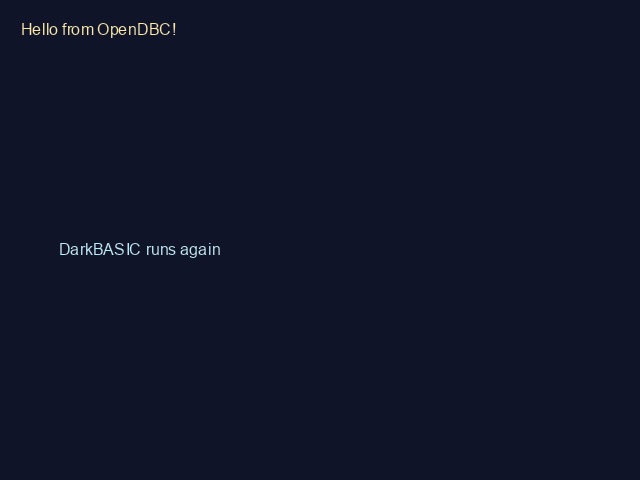
text 20, 20, "Hello from " + name$ + "!"
Something moves
Change a variable each frame and the text scrolls. SCREEN WIDTH tells when it leaves the screen.
rem First program - OpenDBC tutorial (DarkBASIC Classic)
sync on
sync rate 60

name$ = "OpenDBC"
x = 0

do
   cls rgb(16, 20, 40)
   ink rgb(255, 210, 90), 0
   text 20, 20, "Hello from " + name$ + "!"
   ink rgb(120, 220, 255), 0
   text x, 240, "DarkBASIC runs again"
   x = x + 2
   if x > screen width() then x = -200
   sync
loop